
SHE Onsite home

Features

Saves with no signal, and a site phone for people without their own

Nothing to install from an app store: SHE Onsite runs in the phone's web browser and sits on the home screen. Sign-ins, reports and checks save with no signal and send later, with the time you tapped. A shared site phone at the gate covers people without their own.

Saves with no signal, sends later

Reports, site sign-ins and sign-outs, JSA sign-ons, toolbox talk answers and checks are kept on the phone and sent when there's signal, with the time you tapped. The first time someone opens SHE Onsite on a phone, it needs signal.

Animation of SHE Onsite, simplified: a report saved with no signal

10:40 am, no signal. The hazard report waits on the phone, then sends with the time you tapped.

10:40 am, no signal. The hazard report waits on the phone, then sends with the time you tapped. The report reads Not sent yet, then Sent at 11:12 am, and still shows Tapped 10:40 am.
10:40 am, no signal. The hazard report waits on the phone, then sends with the time you tapped. Animation of SHE Onsite, simplified. Example company and site.

On the home screen, from the browser

Put SHE Onsite on the home screen once and it opens in one tap, like any other app. People log in with a 6-number code from their email, or their fingerprint, face or device PIN. There's no password.

  • It updates itself when you open it, once nothing is being typed or sent
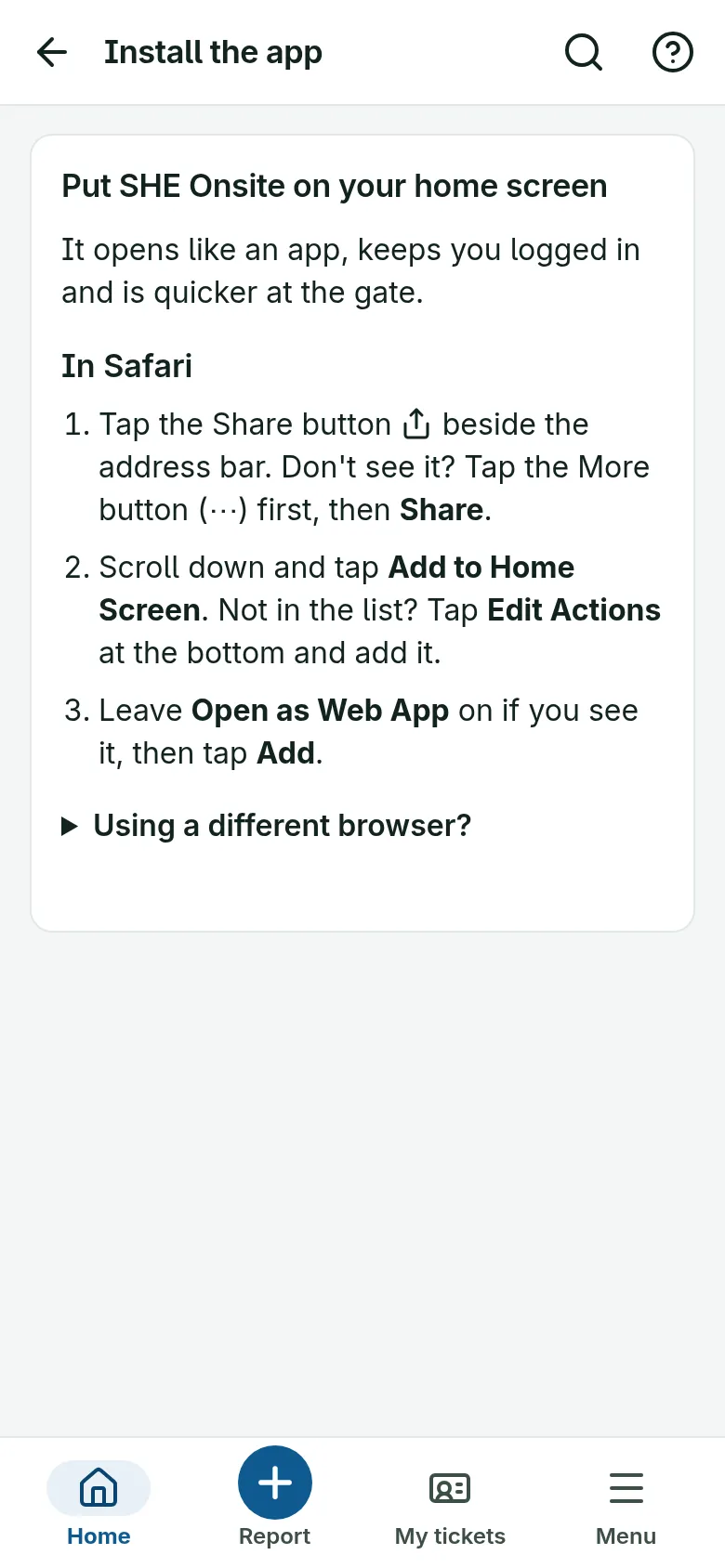
The Safari steps on the Install the app screen on an iPhone

A shared site phone with PINs

Turn a phone or tablet at the gate into a site phone. Each person picks their name and types a 6-number PIN to sign in, report something or answer a toolbox talk. Print setup slips so each person sets their own PIN.

Animation of SHE Onsite, simplified: signing in on the site phone

No phone of your own? Sign in on the site phone with your name and a PIN.

No phone of your own? Sign in on the site phone with your name and a PIN. At 6:50 am, on the shared phone at the site office, Matt taps their name and types a 6-number PIN, which shows only as dots. The phone says they are signed in to site and logged out of this phone. In the office, the count of people on site goes from 2 to 3.

No phone of your own? Sign in on the site phone with your name and a PIN. Animation of SHE Onsite, simplified. Example company and site.

Questions about no signal and the site phone

What still needs signal?

Opening SHE Onsite on a phone for the first time, logging in with a PIN on the site phone, a visitor signing in, and closing off a report. Sign-ins, reports and checks save on the phone and send later.

Do we download it from an app store?

No. SHE Onsite runs in the phone's web browser. Put it on the home screen once and it opens in one tap, like any other app.

What if someone doesn't have a smartphone?

Set up a shared site phone or tablet at the gate. Each person picks their name and types a 6-number PIN. Visitors can sign in on it without a PIN.

Guides and templates

Free reading for New Zealand crews on the same work.

Every plan has every feature.

Every feature is in every plan, from NZ$49 a month plus GST.

Your 30-day free trial. No card needed.

Start your 30-day free trial