SHE Onsite home

Features

Run health and safety from the office, on any computer

The office uses SHE Onsite in any computer's web browser. Home shows what needs you today, most urgent first. Training shows who is missing a ticket. Monthly numbers and the board report are worked out from your records: check how each is worked out before you rely on it. Every plan has all of it, and there's nothing to install.

One list of what needs you

Home opens on Needs you: your to do list, with the most urgent at the top. A new report to check, a JSA waiting for approval, a failed check, a ticket about to expire. Open one, deal with it, and it leaves the list.

  • Choose one site, or see all your sites
  • On a wide screen, a report opens beside the list
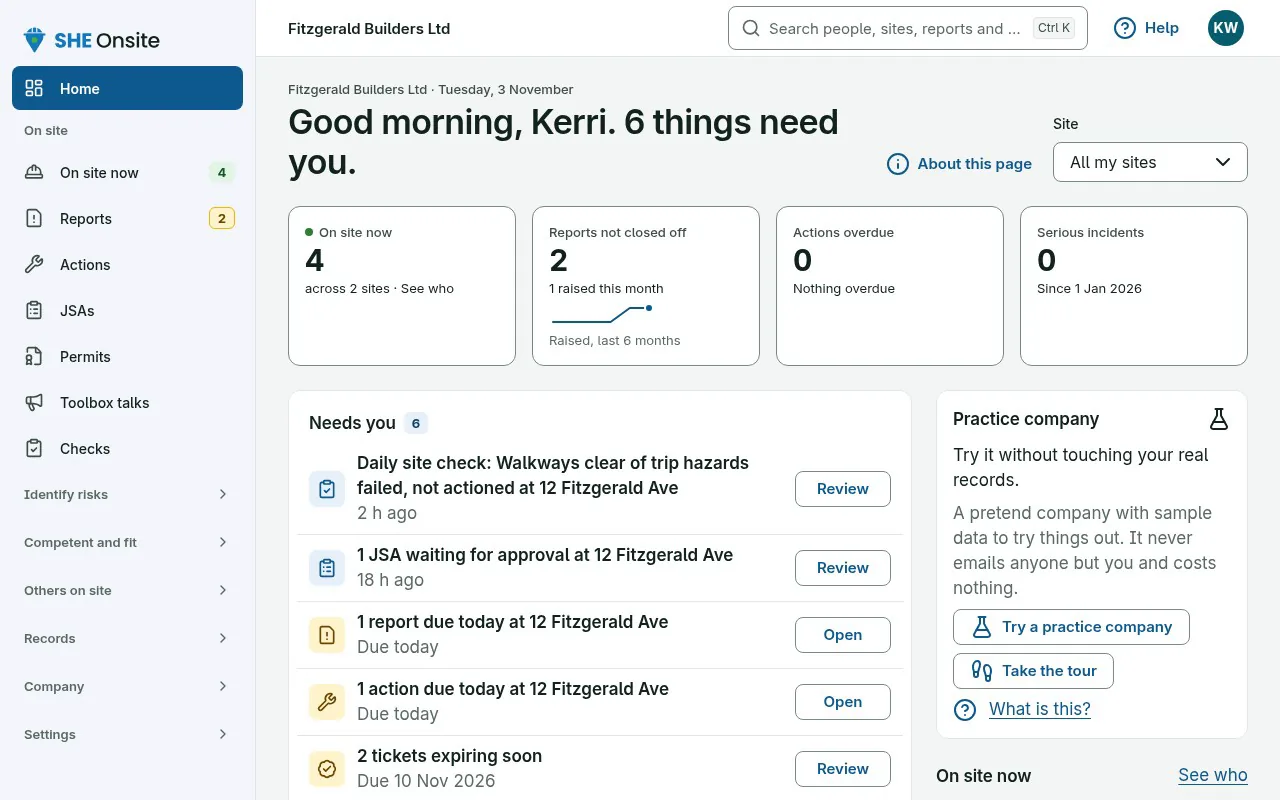
Kerri's Home on the office computer after she saved her decision: Good morning, Kerri. 6 things need you. (open full size)

The right people are told

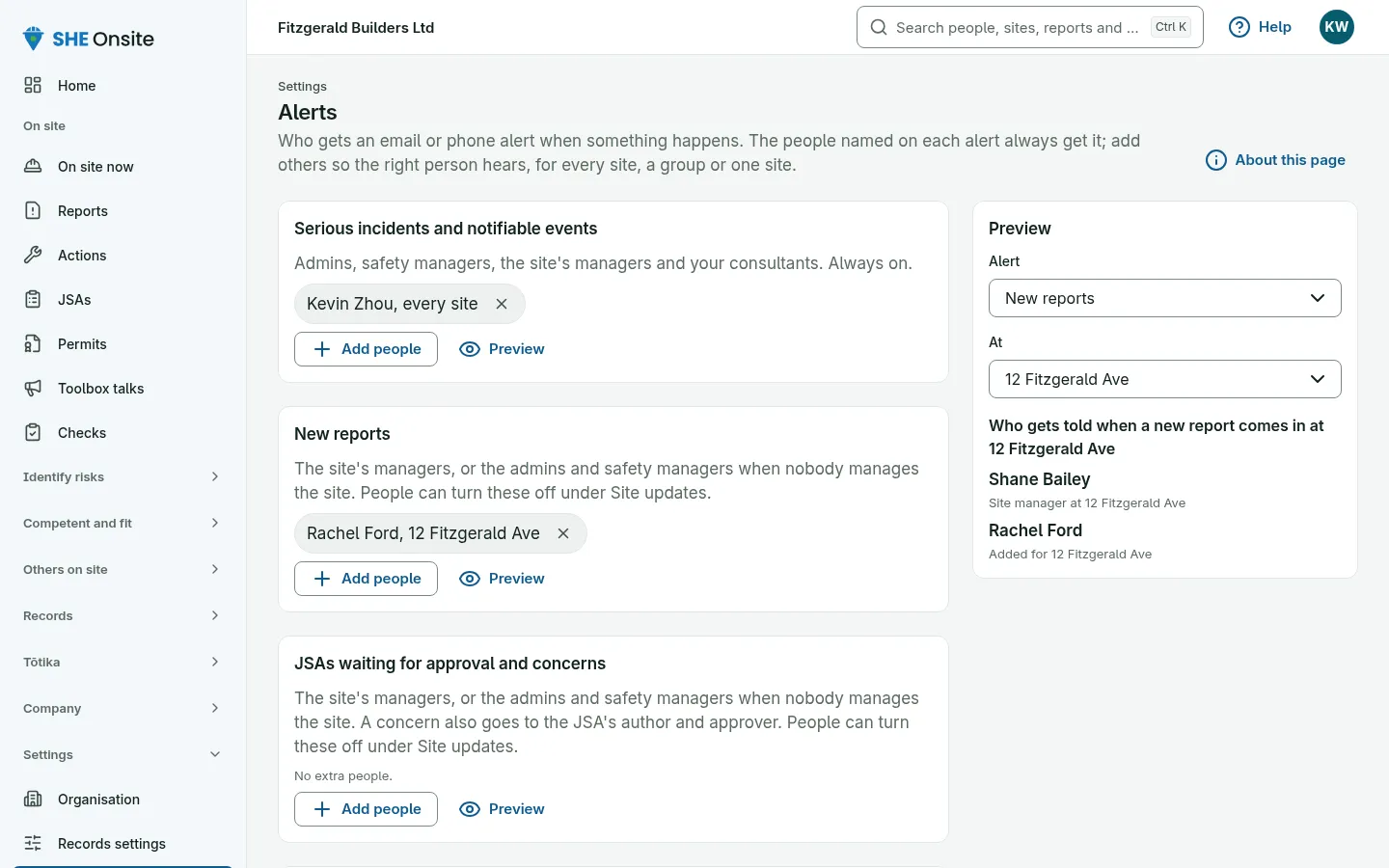
When a report comes in or a check fails, SHE Onsite emails the people who need to know. You can see who gets each alert at each site, and add others, like a director or your H&S coordinator. Things coming due arrive together in one reminder email, at most once a day.

  • A preview of who is told, for any site
  • People can turn off the updates they don't need
  • Set a reminder for the people you look after, and see when they tick it
Alerts: who gets an email for serious incidents, new reports and JSAs, with a preview of who is told when a new report comes in at 12 Fitzgerald Ave (open full size)

Who is missing a ticket

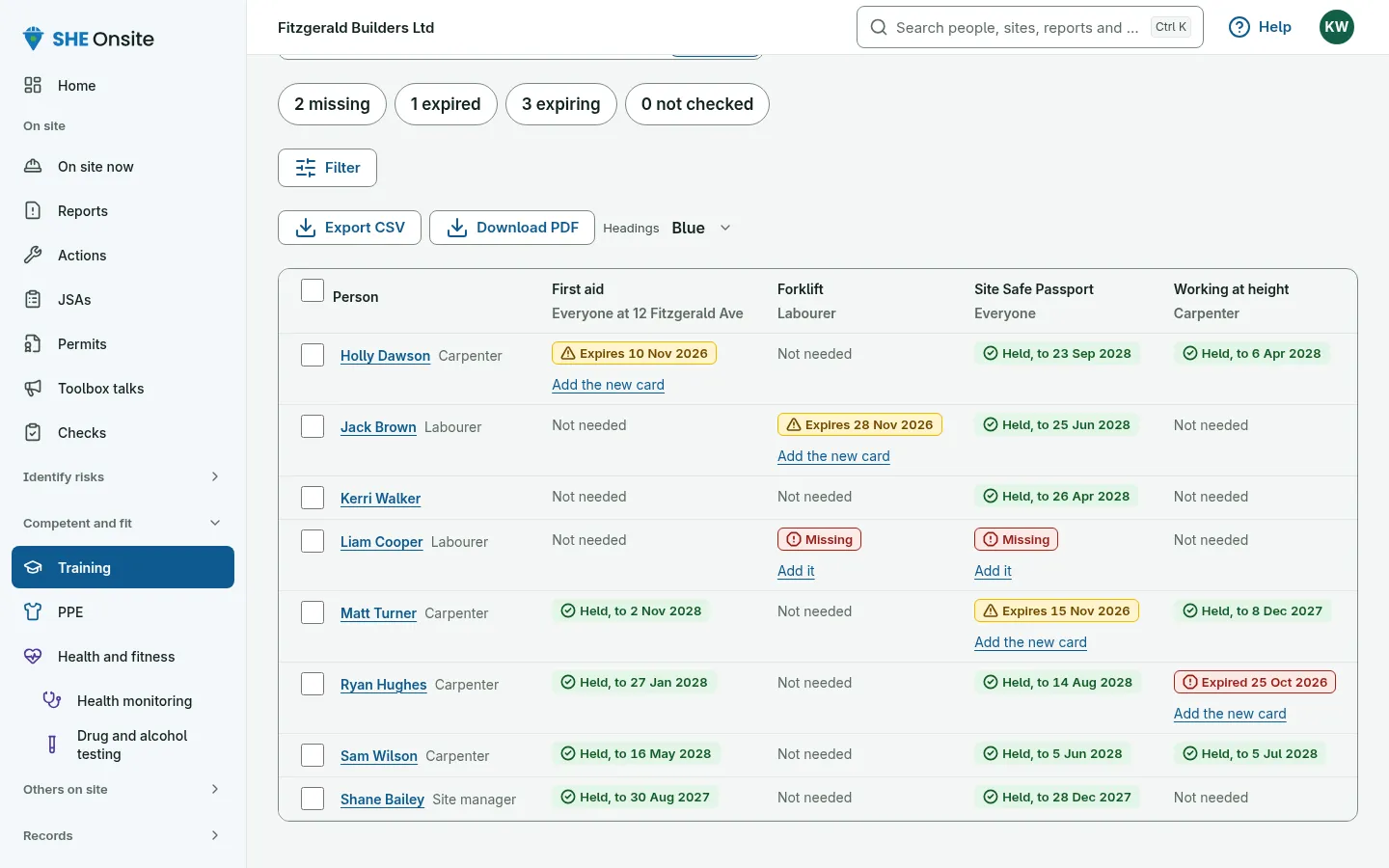
Say which tickets, inductions and courses each job role or site needs. Gaps then shows each person against each requirement. Tick the people missing a ticket and click Ask to add. Each gets one email listing what they need.

  • Export the grid as a spreadsheet or a PDF
  • Import tickets and training from a spreadsheet

More about the training register

Training gaps: 2 missing, 1 expired and 3 expiring, with Export CSV and Download PDF, then each person against the first aid, forklift, Site Safe Passport and working at height tickets their site or job role needs (open full size)

The month's numbers, worked out for you

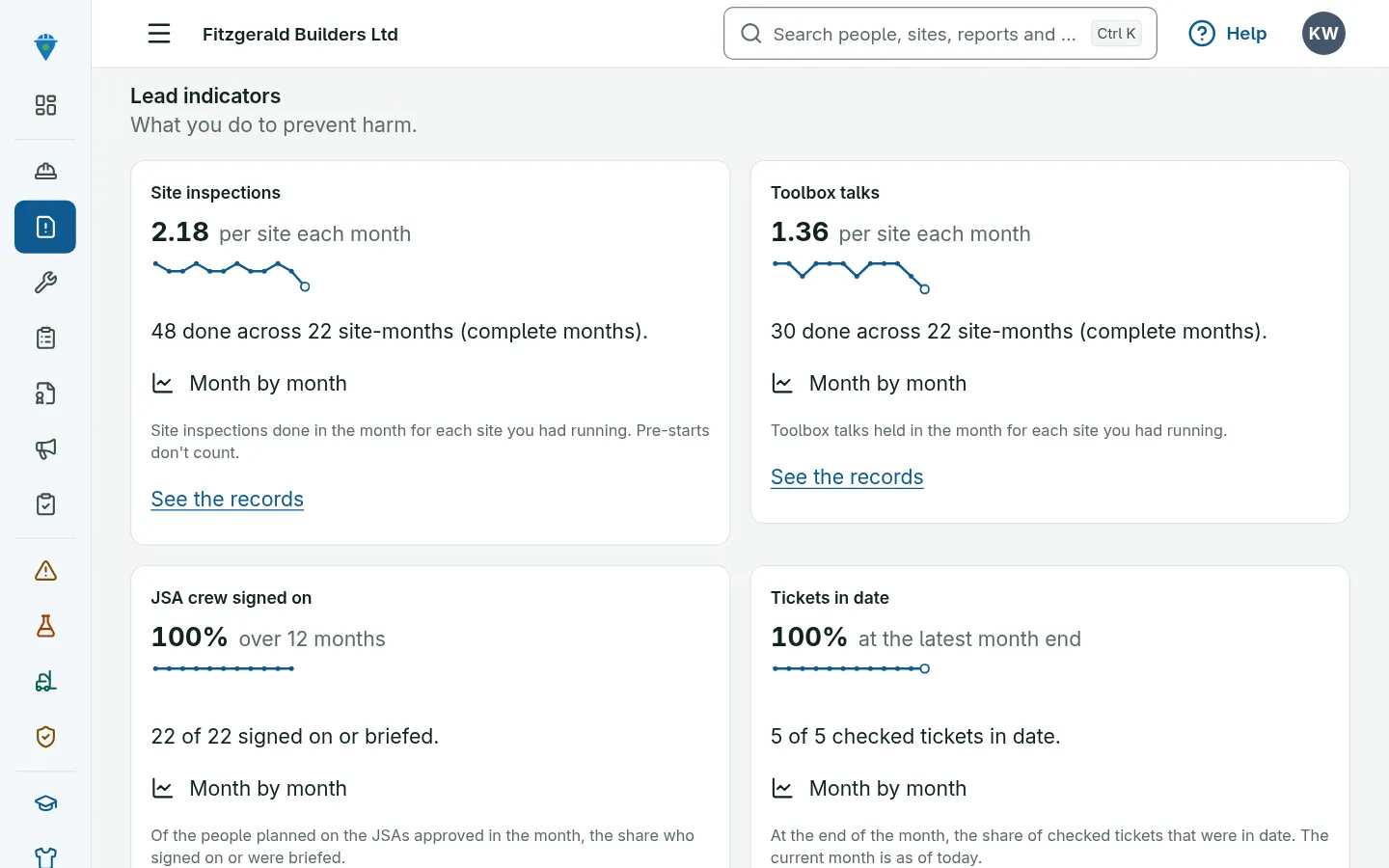
"How many incidents have we had this year?" Monthly numbers answers that. You don't type anything in: SHE Onsite works your measures out from the reports, inspections, toolbox talks, JSAs, tickets, hazards and actions you already keep, for the last 12 months.

Check that how each measure is worked out matches how you report before you rely on it.

Monthly numbers, lead indicators: site inspections 2.18 and toolbox talks 1.36 per site each month, JSA crew signed on 100% and tickets in date 100%, each with a line for the last 12 months (open full size)

A board report each month

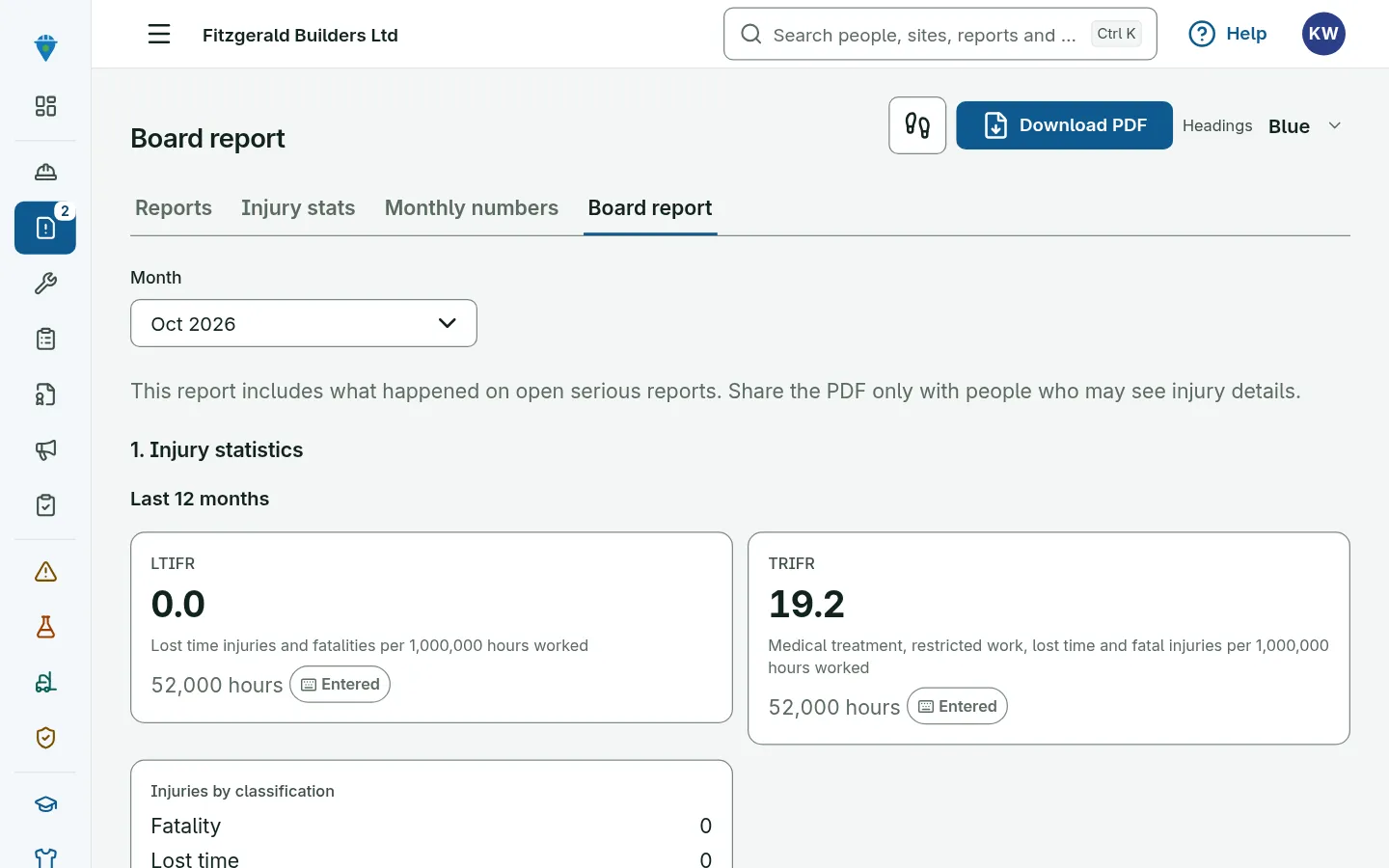
Last month's figures and what still needs doing, in one PDF you can take to a board or management meeting: injury rates, open serious reports, overdue actions, training coming due and hazard reviews. The injury rates (LTIFR and TRIFR) are worked out from the injuries you classify and the hours your people worked.

  • An email on the 1st of the month when it's ready
  • Viewers see the figures, never injury details

The rates are worked out per 1,000,000 hours worked. Check they match how you report before you rely on them.

The board report for Oct 2026 with Download PDF: injury statistics for the last 12 months, an LTIFR of 0.0 and a TRIFR of 19.2, from 52,000 hours entered (open full size)

The right access for each person

Everyone has one role. An admin runs everything, a safety manager runs health and safety, a site manager runs their own sites, and a viewer can read and download records without changing anything. Give a director, an auditor or a principal's rep a viewer login.

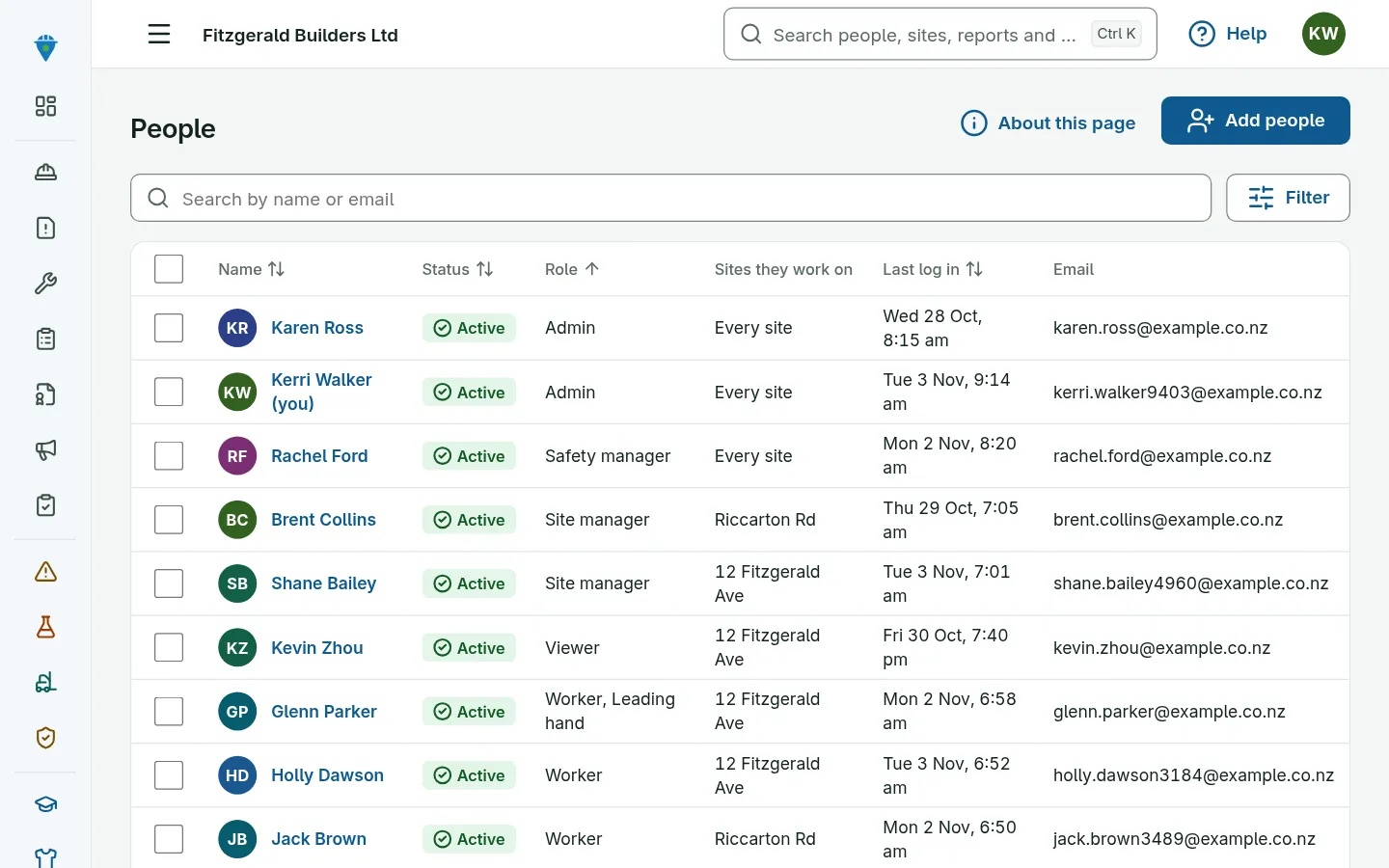
People at Fitzgerald Builders Ltd: two admins, a safety manager, two site managers, a viewer, a leading hand and workers, each with their role and sites

Bring your records in, and take them with you

Import your sites, people, tickets and training, hazards and contractors from a spreadsheet, then add a folder of the files that go with them. Every row is checked before anything is added, and you can remove an import for 7 days. Your records belong to your company: download everything as zip files at any time.

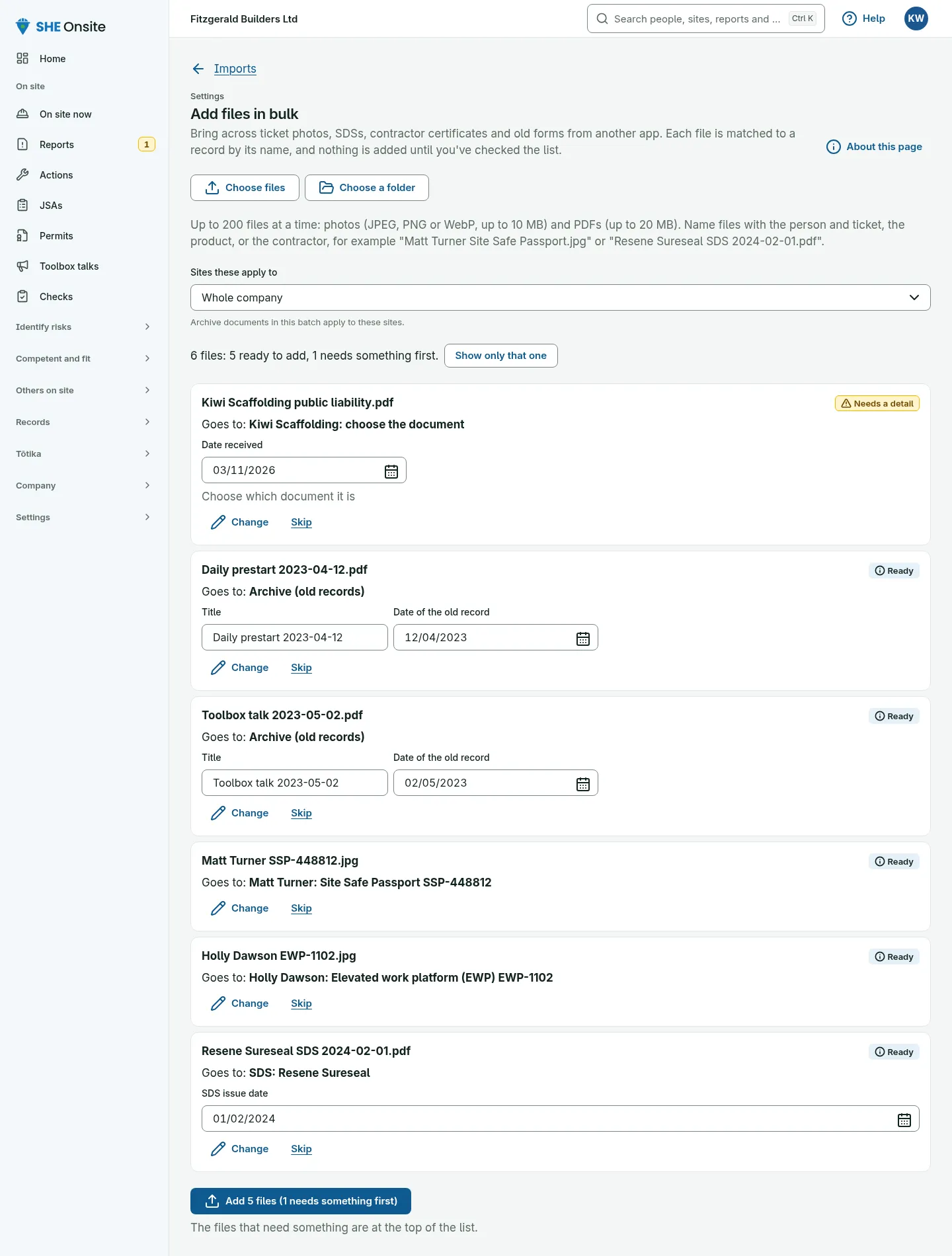
Add files in bulk: 6 files, 5 ready to add and 1 that needs something first, shown at the top: a contractor's public liability certificate, then old forms going to the archive, each matched by its file name (open full size)

Questions about the office

Can I do the office work from my phone?

Yes, nearly all of it. The same screens work on a phone. Imports from a spreadsheet need a computer.

Who sees injury details?

Admins and safety managers, and a site's managers for their own sites unless an admin turns that off. A consultant you've given access can open them on a report, and each time they do it's recorded in the report's history and your access log. Viewers and workers never do.

How are LTIFR and TRIFR worked out?

From the injuries you classify and the hours your people worked, per 1,000,000 hours. You can type the hours in for each month. If you don't, SHE Onsite uses gate sign-ins, then an estimate of 160 hours a person a month. Check this matches how you report before you rely on the rates.

Who gets the board report?

Admins and safety managers who work on every site get an email on the 1st of each month saying it's ready. Viewers on every site, like a director, can turn that email on. The email has no figures in it: you log in to see the report.

Does a missing ticket stop someone signing in to site?

Not by itself: a missing ticket shows as a warning, and the person can still sign in. If you choose, you can turn on a hold at the gate for a ticket the site needs that has run out. A hold asks the person to wait and never refuses anyone, and a site manager or leading hand can let them through. It's off unless you turn it on.

Can our consultant see all this?

Yes, with the access you give them. For consultants

Every plan has every feature.

Every feature is in every plan, from NZ$49 a month plus GST.

Your 30-day free trial. No card needed.

Start your 30-day free trial